Rules of Survival Legacy Audio Settings
How to tune sound for maximum tactical awareness in classic ROS-style battle royale.
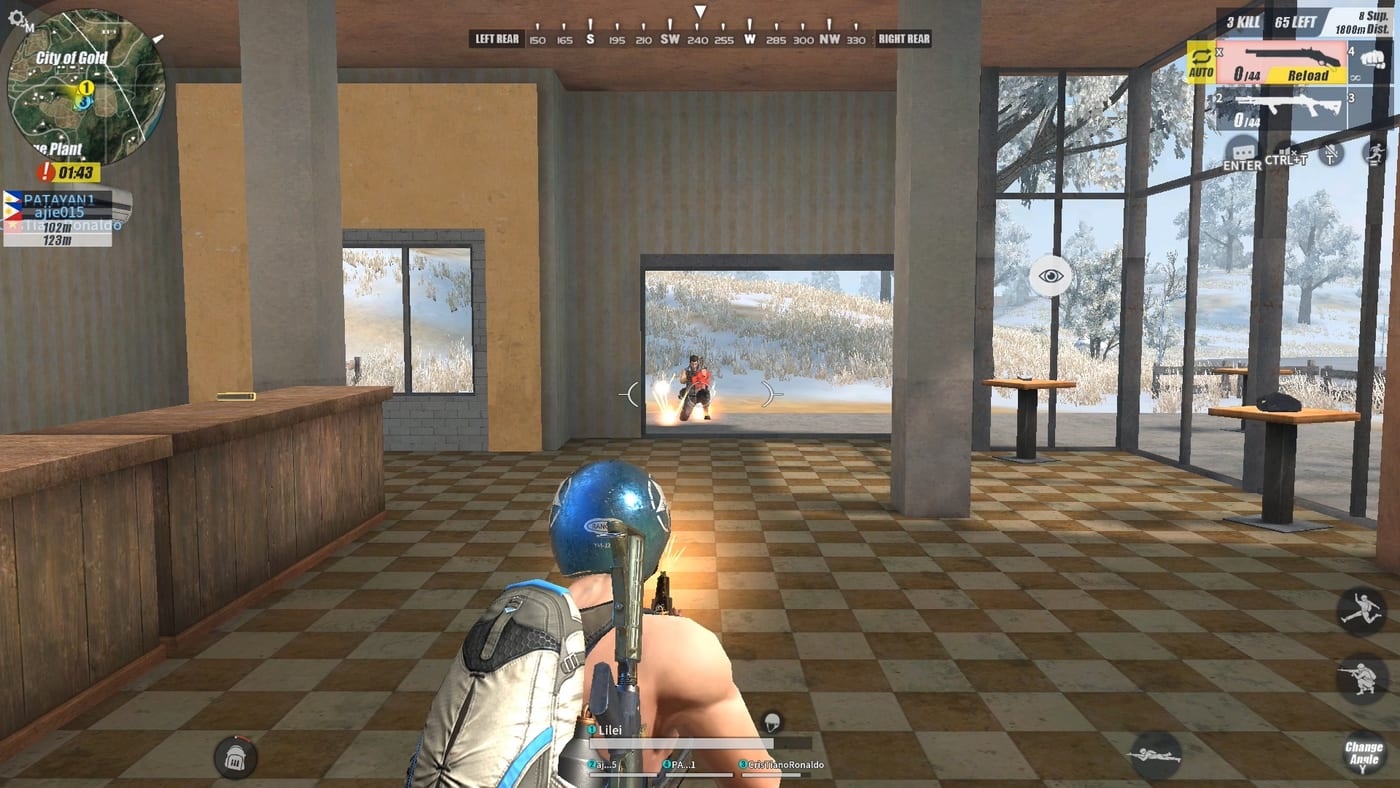
Sound wins fights before bullets fly. In classic Rules of Survival, the difference between a player who heard boots on stairs and one who got backstabbed often came down to audio settings, headset quality, and spatial awareness habits. Rules of Survival Legacy is Under Development by Myth Games for PC - the original NetEase service ended June 27, 2022 - so this guide prepares your ears for when Myth ships a playable build.
Audio in battle royale serves three tactical functions: detection (enemy approaching), identification (weapon type, suppression status), and intimidation (engine noise, footsteps creating pressure). Mastering all three gives you free information your enemies paid for with positioning.
Core audio concepts
Footsteps - Classic ROS gave footsteps distinct cadence based on movement mode: walking, running, or sprinting. Armor weight did not alter step sound significantly, but stance (crouch/prone) did reduce audible range. Suppressors dramatically cut weapon report while keeping bullet trail sound intact.
Vehicle audio - Cars, bikes, and snowmobiles produced distinct engine signatures. A wounded enemy running a car engine nearby meant cleanup opportunity or ambush risk depending on your HP. Fiord’s open terrain made vehicle audio critical for early rotate decisions.
Gunfire distance - Unsigned shots carried farther than suppressed ones. A suppressed M4A1 at 200 meters might sound like a pop; an unsuppressed AKM at the same range boomed across the map. Smart players used sound to estimate enemy count and distance without opening the map.
Structural attenuation - Bullets and footsteps behaved differently inside buildings versus open ground. Concrete walls muffled footsteps more than wood structures. Understanding attenuation helped you predict enemy approach vectors in Training Base warehouses or Rust Bay docks.
Recommended audio settings for Legacy
Until Myth publishes official settings guidance, use these classic ROS baselines adapted for modern PC audio:
Setting recommendations:
Master volume: 80-100% - Full awareness of all audio cues Effects volume: 70-90% - Weapon and movement sounds UI volume: 30-50% - Minimizes distraction from menus Voice chat: 60-80% - Squad callouts blend with game audio Footstep priority: High / enabled - Critical for detecting flanks Vehicle engine: Medium-high - Rotations on Fiord need engine awareness Suppressor effect: Full / enabled - Suppressed guns should sound quiet
Disable any audio ducking setting that lowers game volume when UI sounds play - this creates dangerous silence windows during inventory management.
Headset and spatial audio setup
Stereo headsets work for basic direction, but HRTF (Head-Related Transfer Function) processing or proper surround sound gives you vertical and distance information stereo cannot. If your soundcard or headset software offers:
HRTF mode - enables realistic 3D positioning from stereo signal Surround virtualization - emulates multi-speaker output Footstep enhancement - boosts low-frequency range where footsteps sit
Enable only one at a time. Multiple processing layers can distort directional accuracy.
Test audio by queuing a training match or replaying classic footage with your new settings. If footsteps sound flat without directional change as enemies move, your spatial processing needs tuning.
Sound-based positioning habits
Once your audio is tuned, practice these detection drills:
Stillness discipline - Stop moving when you hear an enemy near. Moving feet mask incoming footsteps. Classic ROS veterans used this to hold angle on pushing players.
Sound ranging - Estimate distance by volume. A quiet footstep means 30+ meters; loud steps mean within 15 meters. Combine with map knowledge of building layouts to triangulate position.
Suppression identification - Learn the difference between suppressed and unsuppressed shots by sound signature alone. Suppressed fire means a confident player who planned their engagement; unsuppressed means either new player or deliberate aggression.
Vehicle audio tracking - On Fearless Fiord especially, vehicle sound travels far across open ice. Use it to predict rotate timing and avoid head-on collisions with other vehicles.
Circle audio cues - The safe zone border in classic ROS produced distinct audio: a low hum for the blue zone edge and a sharper tone for the play zone boundary. This helped players time rotations without watching the map constantly.
Connecting audio to builds and guides
Sound awareness supports every loadout. A sniper build relies on suppressed AWM reports to mask position; an aggressive SMG build needs unmuted footsteps to track panicked enemies fleeing buildings. Pair audio habits with:
Solo Loadout - how sound affects weapon choice Squad Roles - IGL calls based on audio callouts Circle Strategy - zone sound cues for rotate timing PC Keybinds - lean and movement without audio sacrifice
Common audio mistakes
Boosting footsteps to maximum while leaving effects muted - you hear allies but not enemies Playing music in the background during competitive sessions - creates false directional assumptions Using speakers instead of headset - speakers lose all spatial information and broadcast position to enemies Ignoring audio delay from Bluetooth headsets - wired headsets remove input latency variables
What Myth might change
Myth Games has not confirmed whether Legacy uses the same audio engine as classic ROS. Possible changes at launch:
Updated footstep audio with gender or armor variation New vehicle sounds beyond the classic car and bike roster Positional voice chat for squad communication Surround sound preset options in graphics settings
Monitor Discord and Updates for audio patch notes. When playtests open, test audio immediately - bad settings cost you first encounters before you realize the problem.
Related pages
Graphics Settings - visibility paired with audio awareness PC Keybinds - movement silence habits Sensitivity Settings - mouse paired with audio detection speed Beginner Mistakes - audio overconfidence errors
Frequently Asked Questions
Quick answers to the most common questions.
What volume settings work best for hearing footsteps?
Set master volume high (80-100%), effects volume 70-90%, and ensure footstep priority is enabled in audio options. Test with a friend doing prone walks at different distances.
Do suppressors make footsteps quieter in classic ROS?
Suppressors reduce weapon report volume dramatically but do not muffle footsteps. Your movement noise is independent of your equipped weapon sound signature.
Should I use a headset or speakers for Legacy?
A quality headset with stereo or HRTF processing is strongly recommended. Speakers broadcast your own audio to enemies and lose all directional information.
Can I use Bluetooth headphones for competitive play?
Wired headphones are preferred for competitive play due to lower latency. Bluetooth can introduce audio delay that affects directional accuracy and reaction timing.
How did vehicle audio work on Fearless Fiord?
Fiord vehicles (cars, snowmobiles, boats) produced distinct engine signatures that traveled far across open terrain. Monitoring vehicle audio helped predict rotate timing and avoid collisions.
Will Legacy have the same audio system as classic ROS?
Myth has not confirmed audio engine details. This guide uses classic ROS baselines until official Myth patch notes or playtest impressions confirm what changes.